

Separate requests from decisions
A pending holiday request is waiting for a decision. Approval or rejection is recorded explicitly, helping staff distinguish a proposed absence from time off that has been approved.
Holiday request software for small teams
Give staff one place to request time off and managers one place to review it. BookkeeperHR keeps holiday dates, approval decisions and request status together, so your small team can follow what has been requested and decided.
Free during early access. No card or billing details required.
Sample holiday request
A few days away
Casey · Example team
Request submitted
Pending a manager’s decision
Manager reviews
Approve or reject the request
Employee checks status
The decision stays with the request
The workflow
The employee chooses their dates and leave type in the workspace. The request enters the pending list for review. Putting dates in a request gives the manager a consistent place to start.
An owner, admin or eligible assigned team leader reviews the request and approves or rejects it. Team leaders see requests for their own assigned team members; their access depends on the company’s team setup.
The employee can check the request’s status in BookkeeperHR. Managers can use list and calendar views for the leave records their role permits, with approved and rejected requests separate from pending work.
Inside BookkeeperHR
Review pending requests with their employee, leave type and dates, then approve or reject the request in the workspace.
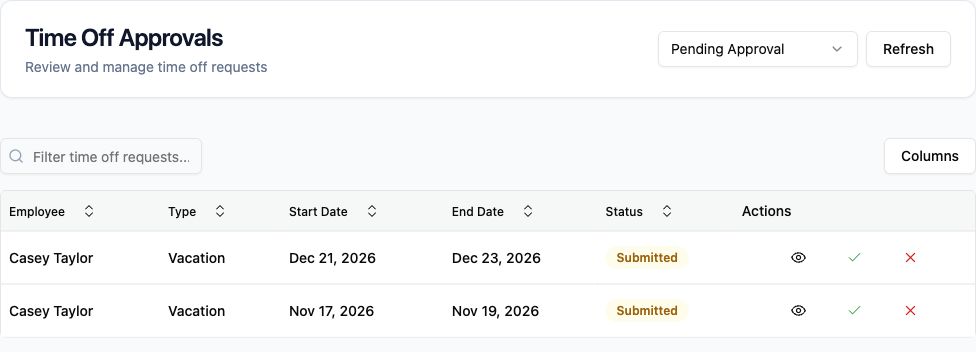
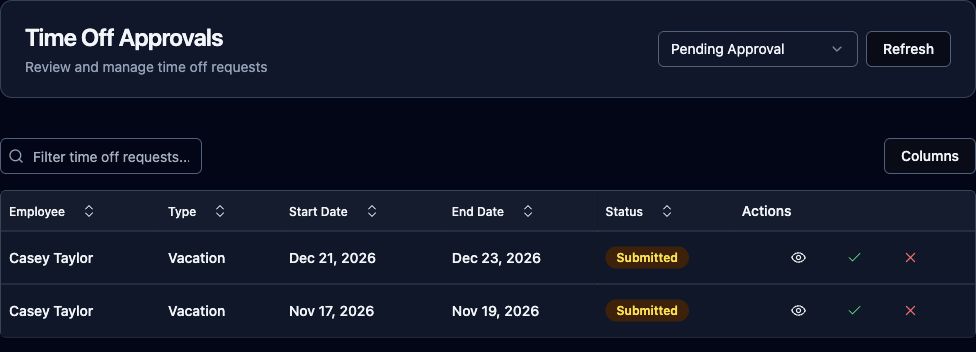
A pending holiday request is waiting for a decision. Approval or rejection is recorded explicitly, helping staff distinguish a proposed absence from time off that has been approved.
Switch between a request list and calendar view to review dates in context. Visibility follows your role and team assignments; the calendar is not an unrestricted company-wide absence feed for every employee.
Set up teams and assign leaders to the people they manage. Owners and admins retain company oversight, while team leaders review their relevant employees rather than every person in the business.
The request’s status is the starting point. Use the pending view for decisions still to make and the approved-and-rejected view to check what was decided.
| Request status | What it means for the team |
|---|---|
| Pending | The dates have been requested. A manager still needs to approve or reject them. |
| Approved | The reviewer has approved the request, and its decision is recorded in the workspace. |
| Rejected | The reviewer has declined the request. It remains separate from approved leave. |
Create a workspace and invite the people who will request leave. Add teams and their leaders if you want to delegate reviews, and set the holiday allowances appropriate for your employees. Explain who reviews requests and ask staff to check the recorded decision before treating a request as approved.
Get founder setup helpYes. Employees sign in to their company workspace and request time off with their dates and leave type. Managers review the request in BookkeeperHR, and employees can check whether it is pending, approved or rejected.
Yes, when the company has assigned them as an eligible leader of an active team. Ordinary team leaders review requests for their currently assigned team members. Owners and admins have broader company oversight.
Yes. Time-off pages include list and calendar views. You see the leave records available to your role and team assignments. You can also separate pending requests from approved and rejected requests.
No. Creating a request leaves it pending until an eligible reviewer makes a decision. Employees should check the request status. Approval depends on the company’s review process, not simply on entering dates.
No. A business owner and their team can use the workspace without an accountant. You can start with leave requests and use the timesheet workflow when your team needs it.
BookkeeperHR is free during early access, with no card or billing details required. We will give notice before introducing paid plans, and you can decide whether to continue.
Start free during early access. We’ll let you know before introducing paid plans, and you can choose whether to continue.
Start free early accessAlready using BookkeeperHR? Log in
One workspace for your team’s hours and leave.
Explore timesheet approval software