

A clear monthly handoff
Bring project hours together before review. Staff can see whether their month is still a draft, submitted, approved or returned, instead of relying on a separate message to explain its status.
Timesheet approval software for small teams
Give your team one place to record hours, submit the month and see its approval status. BookkeeperHR brings monthly timesheets and manager review into a shared workspace for small businesses moving beyond spreadsheets.
Free during early access. No card or billing details required.
Sample monthly timesheet
October hours
Casey · Example team
Submitted for review
The manager checks the month, then approves it or returns it for correction.
The workflow
Employees add project hours to their draft timesheet. Use the monthly grid for an overview, or the weekly calendar to adjust recorded work. The work timer can record a session as you go.
When the month is ready, the employee submits it together. Submission gives the manager a reviewable record; it does not approve the hours. Submitted hours stay protected while they are being reviewed.
The reviewer checks the submitted hours and either approves them or returns them for changes. A returned month can be corrected and submitted again, keeping the decision in the same workflow.
Inside BookkeeperHR
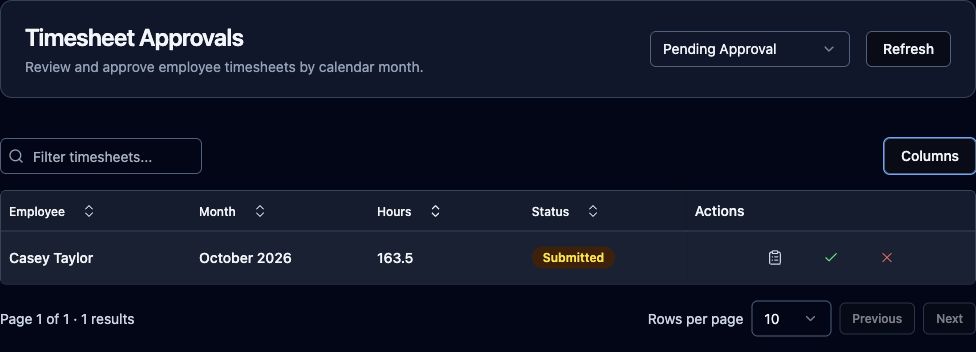
The manager’s approval list shows the employee, month, hours and submission status, with actions to review, approve or return the month.
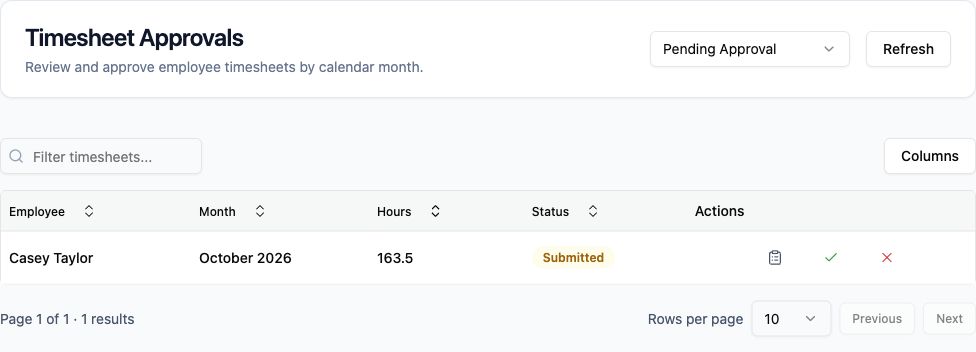
Bring project hours together before review. Staff can see whether their month is still a draft, submitted, approved or returned, instead of relying on a separate message to explain its status.
Owners and admins manage company-wide work. Assigned team leaders review the employees in their teams. Create teams and assign their leaders before delegating approvals.
Use the weekly calendar to move or resize recorded work in an editable draft. Overlapping entries count towards the total, so employees should check and correct their hours before submission.
A shared status makes the handoff explicit. The person recording hours and the person reviewing them can follow the same month through these stages.
| Timesheet status | What happens next |
|---|---|
| Draft | The employee records and checks their project hours, then submits the month. |
| Submitted | A reviewer checks the month. The employee cannot keep changing the submitted hours during review. |
| Returned | The employee corrects the month and submits it again for review. |
| Approved | The approved month stays protected. Corrections need to go through the return-for-changes workflow. |
Create your workspace, add the projects your team works on and invite your employees. If managers should review separate groups, set up teams and assign their leaders. Start with one monthly handoff and check that everyone understands when to submit and who reviews it.
Get founder setup helpApproval is monthly. Employees can use a monthly grid or a weekly calendar to record and check their work, then submit the whole month for review. A weekly view does not create a separate weekly approval process.
Yes. The work timer records project work into a draft timesheet. Employees can check recorded sessions in the weekly calendar before submitting their month. The separate personal Pomodoro timer does not add timesheet hours.
Submitted and approved hours are protected from ordinary editing. A reviewer returns the month for changes before the employee corrects and resubmits it. Recording hours and approving them are separate actions.
This workflow records project hours and their review status. Payroll calculations and wage payments are separate. Check the approved records before using them in your payroll process.
BookkeeperHR is free during early access, with no card or billing details required. We will let you know before introducing paid plans, and you can choose whether to continue. Early access is not a promise of free access forever.
Start free during early access. We’ll let you know before introducing paid plans, and you can choose whether to continue.
Start free early accessAlready using BookkeeperHR? Log in
One workspace for your team’s hours and leave.
Explore holiday request software